


Transparent Wallpaper
4.52.09K Reviews
App Specs
- Version
- 2.2.2
- Updated On
- License
- Free
- Downloads
- 10,000,000+
- Developer
- Firehawk
- Categories
- Personalization
- Platform
- Android, iOS
Screenshots
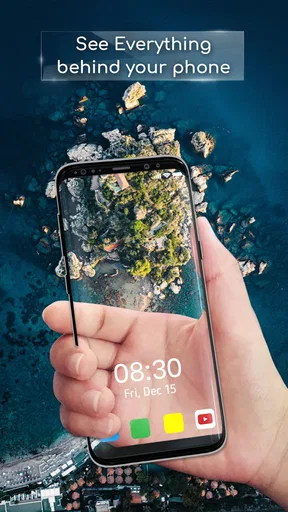
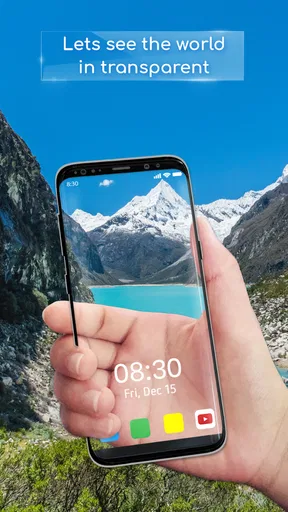
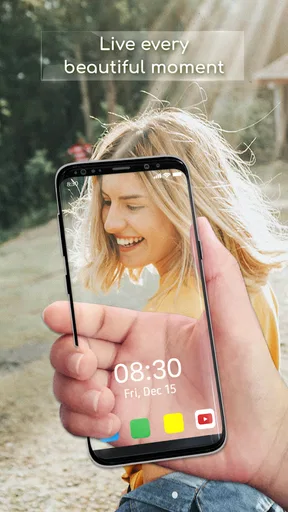
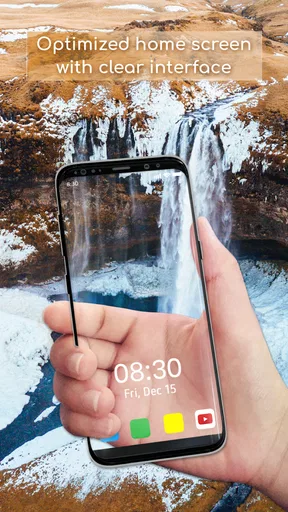
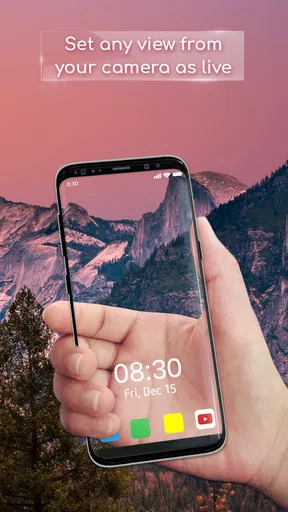
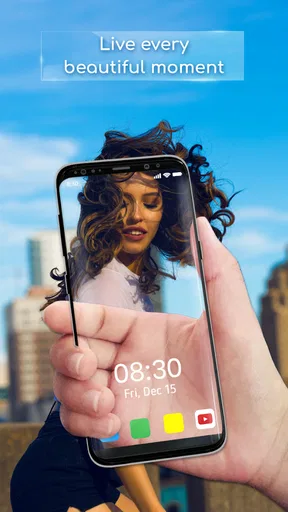
 Analysis by AppCompare
I usually start customizing a phone by changing its wallpaper, then quickly realize that a new picture still leaves the screen looking like, well, a normal screen. Transparent Wallpaper takes a different route: it uses the phone’s camera feed to create the impression that the display is showing what lies behind the device. That makes it less like choosing a picture and more like trying a visual effect. I found the idea fun, but its usefulness depends on whether you enjoy a playful home screen more than a carefully composed one.
What the camera effect changes
The key distinction is that this is not simply a collection of backgrounds. The camera supplies a live view, so the scene can shift as the phone moves. That can make the home screen feel unusual in a way a static image cannot, but it also means the result is tied to the surroundings and how you hold the device. I would treat it as a temporary look to experiment with rather than a replacement for every wallpaper style.
Before settling on it, I’d think about what I want to see behind my icons. A busy room, bright window, or cluttered desk may make the effect less attractive than a calmer setting. The camera view is the visual material here, so choosing where to try it matters more than finding the perfect downloaded image. A plain wall or a tidy corner can make the see-through illusion easier to appreciate.
A practical setup routine
My preferred way to test an effect like this is to begin with the least distracting setting, then adjust the transparency until icons and labels remain easy to pick out. After that, I’d move the phone slowly and check whether the motion adds interest or becomes a distraction. This simple sequence helps separate the novelty of seeing a live background from whether the screen remains comfortable to use for ordinary tasks.
I’d also judge it on the actual home screen, not just while looking at the effect in isolation. Icons, widgets, and text compete with whatever the camera sees, so a setting that looks striking on an empty screen may be harder to live with once the usual layout is visible. If readability suffers, backing off the effect is a better choice than forcing the most dramatic setting.
Who is likely to enjoy it
This kind of personalization suits someone who likes showing friends a surprising visual twist or who enjoys changing the feel of a phone without rebuilding its layout. It may also work well as a short-lived novelty for a new device, a casual gathering, or a quick before-and-after comparison. If you prefer a serene image, a coordinated icon theme, or a background that never changes, a conventional wallpaper app is probably the more dependable fit.
There is a practical trade-off in using a camera-based effect: the view behind the phone becomes part of the screen’s appearance. That can be charming at home and less appealing in an untidy or visually busy place. I’d switch back to a standard image when I want a deliberate composition, predictable contrast, or a quieter look, then return to the live effect when I feel like experimenting.
Worth Reading Before You Choose

EA SPORTS FC Mobile 26 Is a Bigger Football Game, but It Takes Time

Flipboard Shows What News Apps Must Do Beyond the Feed

Switching to Android Auto Means Rethinking Your Driving Routine

Google Calendar Makes a Crowded Week Easier to Manage

Ludo King Makes the Most of the Minutes Between Plans

Baby Panda World Brings Quick Play to Modern Phones, but Its Game Library Feels Busy
Setting Up Your Transparent World
First things first, getting started with the Transparent Wallpaper app is a breeze. Once you download and fire up the app, it greets you with a straightforward interface. No flashy distractions here, just a simple setup that gets you right to the action. The app cleverly uses your phone’s camera to create a transparent effect, giving your device a super sleek look.
You can adjust settings to your liking, and there’s even an option to select the level of transparency. I found this particularly handy because sometimes you want just a hint of your background, while other times you might want to go full stealth mode.
Features That Stand Out
Now, let’s dive into the features that make this app worth your precious storage space. One of the coolest things is the real-time camera feed. It essentially lets your wallpaper "see" through to what’s behind your phone. This means you can enjoy that unique transparent effect without having to sacrifice your favorite apps or widgets.
Another feature that caught my eye was the ability to switch between multiple modes. From static transparency to motion-based effects, there’s a lot to play around with. I personally enjoyed the motion mode, which adds a dynamic element to your home screen as you move your phone around.
From app to everyday use
Transparent Wallpaper is a free personalization app from Firehawk, with a 4.6 average from about 339,000 ratings and more than 10 million installs. It is rated for Everyone and supports Android 5.0 or later; the current version is 2.2.2. Optional in-app purchases range from $0.99 to $99.99 per item, so I’d look at any purchase screen carefully and decide whether the free experience already does what I want.
A realistic way to use it is to try the live look while waiting at home, show someone the moving effect, then switch back before heading into a situation where a stable, readable screen matters more. That handoff is part of the appeal: the effect can be a small moment of fun, while a conventional wallpaper remains easier for daily navigation. I would not choose it for a work screen where I need a calm background all day.
Where expectations need adjusting
The app’s strongest idea is also its main constraint: a camera view is not a carefully selected photograph. It can make the screen feel lively, but it cannot guarantee a polished scene wherever you are. Nor does a transparent appearance mean the display itself becomes see-through; it is an on-screen camera effect. Keeping that distinction in mind makes the app easier to judge fairly.
People often ask whether the effect can coexist with their normal home-screen setup. The experience described here keeps familiar apps and widgets in place, which is useful if you do not want to redesign everything. The more important question is whether the live image leaves those elements easy to read on your particular screen. I’d test that with the apps I use most before deciding to keep the effect active.
Why You'll Love It
If you’re like me and you love customizing your phone, this app is a must-try. It brings a fresh perspective to personalizing your device. Plus, it’s super lightweight, so it won’t bog down your phone’s performance. I could easily run all my usual apps without any hiccups.
The app is also quite user-friendly. Even if you’re not the most tech-savvy person, you’ll find it intuitive to navigate. The developers have done a great job ensuring that everything is where you expect it to be, which is always a plus in my book.
Small details that improve the result
One useful habit is to compare the effect with the same home-screen layout in two different surroundings. That helps reveal whether the visual appeal comes from the app or simply from a particularly good background behind the phone. I’d also keep a familiar static wallpaper ready for moments when contrast matters more than novelty; switching between a playful look and a reliable one is more sensible than expecting a single setup to serve every situation.
If you use widgets with small text, check them after adjusting transparency rather than assuming the setting that looks best will also be the easiest to read. Motion can be entertaining during a quick demonstration, but a static option may feel less distracting when you are opening apps repeatedly. These are small choices, yet they make the difference between an effect you enjoy for a minute and one you can comfortably leave on.
Final Thoughts
So, is the Transparent Wallpaper app the right choice for you? If you’re looking to add a bit of flair to your phone’s appearance without going overboard, I’d say give it a try. It’s a fun way to breathe new life into your device without having to overhaul your entire theme.
Whether you’re chilling at home or out and about, having a transparent wallpaper can be a cool conversation starter. Just imagine your friends’ faces when they see your phone seemingly blending into the background! It’s a small touch that makes a big impact.
In conclusion, this app offers a unique twist on an otherwise standard phone feature. It’s well worth checking out if you’re into customization and want to stand out from the crowd. So go on, give your phone the transparent treatment and enjoy the see-through magic!
My recommendation after trying the workflow
I’d recommend it to curious customizers who want a quick visual change and are happy to judge the effect in their own surroundings. It is less suitable for anyone who wants a carefully art-directed background, a consistently quiet screen, or a look that never depends on what is behind the phone. Compared with ordinary wallpaper collections, its distinction is movement and immediacy; compared with a fixed theme, it asks you to accept a less predictable backdrop.
My practical advice is to start subtly, check the screen with your regular icons and widgets, and use the more animated look when it adds something rather than leaving it on by default. If the live scene makes the phone harder to read or simply stops feeling novel, a standard wallpaper is the better choice. That is not a failure of the app; it is the trade-off built into this particular kind of personalization.
Pros
- Easy to set up and customize.
- Minimal impact on battery life.
- Offers a unique visual experience.
- Compatible with most devices.
- No intrusive ads.
Cons
- May not work well with all apps.
- Limited customization options.
- Occasional glitches in display.
- Requires camera permission.
- No live support available.
FAQs for Transparent Wallpaper
What is Transparent Wallpaper and how does it work?
Transparent Wallpaper is an innovative app that allows users to set a see-through background on their home screen. It uses your device's camera to create a live view effect, making it seem as though the screen is transparent. This offers a unique and visually engaging experience for users looking to customize their phone's appearance.
Is Transparent Wallpaper safe to use on my device?
Yes, Transparent Wallpaper is safe to use. It requires access to your camera for the live view effect, but it doesn't store or share any images or data. However, it's always important to download apps from reputable sources like the Google Play Store or Apple App Store to ensure safety.
Will using Transparent Wallpaper affect my device's battery life?
Using Transparent Wallpaper may lead to increased battery usage since it relies on your device's camera to function continuously. While the app is optimized for efficiency, users might notice a decrease in battery life compared to static wallpapers. It's advisable to monitor usage and adjust settings if needed.
Can I use Transparent Wallpaper on any smartphone?
Transparent Wallpaper is compatible with most modern Android and iOS devices. However, performance might vary depending on the smartphone's camera quality and processing power. It's recommended to check the app's system requirements and user reviews to ensure compatibility with your specific device.
How do I uninstall Transparent Wallpaper if I no longer want it?
To uninstall Transparent Wallpaper, simply go to your device's settings, select 'Apps' or 'Applications,' find Transparent Wallpaper in the list, and choose 'Uninstall.' This will remove the app from your device. On iOS, you can also long-press the app icon and select 'Remove App' to uninstall it.


